Every child who has spent hours inside a video game has, at some point, wondered how it was made. That curiosity is a doorway. And Python programming for beginners in India is one of the most practical ways to walk through it. Python is readable, forgiving for new learners, and powerful enough to build real things quickly, including games that actually run, respond, and feel alive.
The shift from player to creator is not as dramatic as it sounds. You do not need a studio. You do not need a team. You need a laptop, a free Python environment, and the willingness to break things and figure out why they broke. That process, more than any textbook, is what teaches programming.
This article is for students, parents, and educators who want to understand how game-based Python projects work in practice, what young learners can realistically build, and why this approach to coding education produces results that passive instruction rarely does.
Why Games Are the Best First Project for New Coders
There is a reason experienced developers often recommend building a game as your first real project. Games have an immediate feedback loop. You write code, you run it, and something either happens or it does not. There is no ambiguity. The result is visible, interactive, and personal.
That immediacy is enormously motivating for young learners. A student who builds a number guessing game in Python and watches it respond to their input has experienced something a worksheet never delivers: the feeling that they made something work. That feeling is addictive in the best way.
Games also force learners to engage with core programming concepts in context. You cannot build a game without using variables to track scores, loops to keep the game running, and conditionals to check if a player has won or lost. These are not abstract concepts when they are the difference between a game that functions and one that crashes.
A 2022 survey by the Coding Education Research Consortium found that students who learned programming through project-based work, especially interactive projects like games, retained core concepts 40% longer than those who learned through isolated exercises. The reason is simple: context makes things stick.
What Python Concepts Do You Actually Learn from Building Games?
The best part about using games as a learning vehicle is that almost every fundamental programming concept appears naturally. You are not drilling syntax for its own sake. You are using syntax to make something behave the way you want it to.
Data Types and Variables
Every game needs a way to keep track of information—like the player’s score, how many lives are left, or the current level. These pieces of information are called variables.
When students store a player’s name and display it in a welcome message, they’re working with strings. When they update a score that increases by ten after each round, they’re using integers and basic arithmetic.
Loops
A game that ends after one move is not a game. Loops keep a game running until a win or loss condition is met. Writing a while loop that continues until the player guesses the correct number teaches iteration in a way no textbook exercise can. The student wants the loop to work because they want the game to work.
Conditionals
Games rely on decisions. If a player’s score reaches 100, they win. If they run out of lives, the game ends. If a guess is too high, the game gives a hint. These are all examples of conditional logic—simple “if this, then that” rules that control how a game works.
Conditionals are also how we make decisions in everyday life. When students use them while building a game, they don’t just memorize the concept—they actually understand how it works in a real situation.
Functions
As games grow in complexity, students learn to organize their code. A function that handles player input, a function that checks win conditions, and a function that updates the score display. This is software architecture at a beginner level, and it is a natural evolution that game projects encourage organically.
First Games Every Beginner Should Build in Python
The key to a good first game is that it should be small enough to finish but interesting enough to care about. Here are five progressively challenging games that work beautifully for beginners.
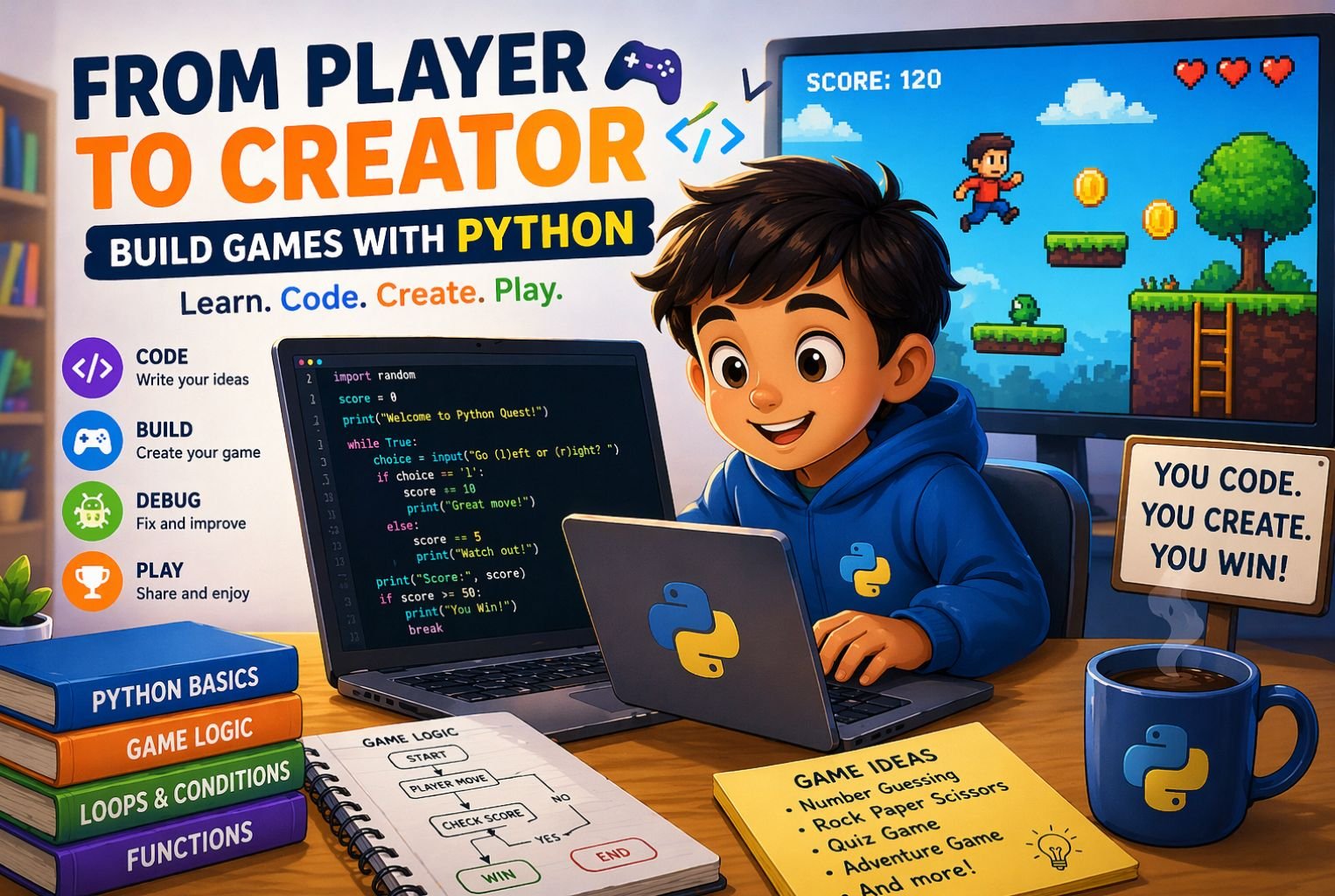
• Number Guessing Game: The computer picks a random number between 1 and 100. The player guesses. The program says higher, lower, or correct. Introduces random numbers, loops, and conditionals in under 20 lines of code.
• Rock Paper Scissors: The player picks a move, the computer picks randomly, and the program decides who wins. Adds lists and simple functions to the mix.
• Mad Libs Generator: The player fills in words, and the program builds a funny story. A great introduction to string manipulation and user input.
• Text-Based Adventure: A story with choices. Each choice leads to a different outcome. Teaches nested conditionals, storytelling through code, and planning a project before writing it.
• Simple Quiz Game: A set of questions, a score counter, and a result at the end. Introduces dictionaries, lists, and iteration over data structures.
Each of these can be built in a single afternoon. Each one teaches something real. And each one can be expanded, made harder, given new features, and personalized. That expandability is what keeps learners coming back to the project instead of moving on and forgetting it.
The Right Age to Start Game-Based Python Projects
Children develop logical thinking at different rates, but most educators agree that structured programming projects become genuinely productive somewhere between ages 9 and 13. This is also when abstract reasoning starts to solidify, making concepts like variables and loops feel intuitive rather than confusing.
For younger learners in the 9 to 11 range, game projects work best when they are guided and social. A parent or teacher who works through the first game alongside the child dramatically reduces frustration and keeps the experience positive. This is why quality coding classes for kids age 9 to 11 structure Python projects with scaffolding: the learner does the building, but the instructor helps them understand why each piece works the way it does.
By age 12 or 13, many students are ready for more independent project work. They can read error messages with some confidence, search for solutions on their own, and make design decisions without needing step-by-step guidance. The game projects at this stage become more ambitious, sometimes involving libraries like Pygame that add graphics and sound.
The important thing is not to rush the transition. A confident beginner who genuinely understands a simple game is in a far better position than a frustrated learner who has been pushed into complexity before they were ready.
How Online Learning Makes This Accessible Across India
One of the genuine shifts in tech education over the last five years is geographic equity. A student in Dehradun, Madurai, or Ranchi now has access to the same quality of Python instruction as a student in Bengaluru or Mumbai, provided they have an internet connection and a decent device.
For students who want to learn Python online, the options have expanded significantly. Live cohort classes, recorded tutorials, interactive coding environments, and community forums all make it possible to learn Python and build games without ever setting foot in a physical classroom.
The most effective online environments for this kind of learning combine three things: structured projects with clear goals, an instructor or mentor who can answer questions in real time, and a community of peers who are working on similar things. Learning to code in isolation is possible, but slow. Learning alongside others who are facing the same problems is significantly faster.
Rise with Tech structures its Python learning paths around exactly this model, making sure students are building real projects like games from week one, not spending months on theory before they ever write functional code.
What to Look for in an Online Python Course for Young Learners
• Project-based structure where students build something real in every module.
• Live or near-live feedback so errors get caught and corrected quickly.
• Age-appropriate pacing that does not skip foundational concepts.
• A community element so learners can share what they have built.
• Progression from guided projects to independent ones as skills develop.
Python and the IB Computer Science Connection
For students in international schools or those preparing for globally recognized curricula, there is an additional reason to take Python seriously early. IB computer science online coursework at both the standard level and higher level involves programming tasks where students must demonstrate the ability to design, write, and trace code through real problems.
Python is not the only language accepted in IB CS, but it is one of the most commonly used because of its readability and the speed at which students can produce working solutions. A student who has built several Python games before entering their IB years will find the internal assessment significantly less intimidating.
The internal assessment in IB computer science online requires students to design a product, document the development process, and evaluate the outcome. Every student who has built and iterated on a Python game has already done a version of this process. They have designed something, built it, found its weaknesses, and improved it. The IA is a formalization of a process they have already practiced.
This is why starting Python projects early, even through game prototyping, creates a genuine academic advantage for students who will eventually enter demanding tech-heavy curricula.
Common Mistakes Beginners Make and How to Avoid Them
Building your first game is exciting, but there are a few consistent patterns that slow beginners down. Knowing them in advance makes the process considerably smoother.
Starting Too Big
Every beginner imagines building something like Minecraft or a battle royale game. The ambition is great, but the scope is overwhelming. Start with something you can finish in two hours. Finishing a small project teaches you more than abandoning a large one.
Skipping the Planning Stage
Before writing a single line of code, sketch out what the game does. What happens when the player wins? What happens when they lose? What information does the program need to track? This ten-minute planning step prevents hours of confused debugging later.
Ignoring Error Messages
New coders often panic when they see a red error message. But error messages are not failures. They are the program telling you exactly what went wrong and where. Learning to read them calmly and systematically is one of the most valuable skills you can build in the early stages.
Not Testing as You Go
Write ten lines, then run the program. Do not write 100 lines and then run it. Testing in small increments means that when something breaks, you know roughly where the problem is. It also gives you small wins along the way, which keeps motivation high.
Turning a Game Project into a Portfolio Piece
One of the overlooked benefits of building games in Python is that finished projects become portfolio items. For students applying to competitive schools, tech programs, or internships, a working game they built themselves is a concrete demonstration of skill that a certificate alone cannot provide.
A good game portfolio entry includes the game itself, a brief written explanation of how it works, the source code hosted on a platform like GitHub, and a short reflection on what the student learned and what they would improve with more time.
Students who also learn Python online for students through structured courses often receive guidance on how to document and present their projects. That documentation habit carries directly into professional development work later in life.
For students exploring coding classes for kids age 9 to 11, a completed game project is also a powerful motivational anchor. It gives them something to show their parents, their classmates, and themselves. It makes the learning feel real because the output is real.
Conclusion
The journey from player to creator is one of the most satisfying transitions a young learner can make. It shifts the relationship with technology from passive consumption to active authorship. And python programming for beginners in India provides exactly the right environment for that shift because the language is accessible, the tools are free, and the results are immediate.
Whether you are a student curious about how games work, a parent looking for a meaningful tech activity, or an educator designing a curriculum that produces real skills, game-based Python projects deliver on every front. They teach logic, creativity, persistence, and problem-solving in a context that young learners actually care about.
If you are ready to take the first step or support a young learner in doing so, Rise With Tech offers structured Python learning paths that take students from their very first game prototype all the way to confident, independent project builders.
1. Is Python a good first language for game development?
Yes, it is beginner-friendly and easy to learn. Libraries like Pygame help create simple games.
2. What is the right age to start Python?
Ages 9–13 are ideal for learning Python. Younger kids benefit from guided sessions.
3. How are game projects introduced to kids?
They start with simple games step by step. Complexity increases as confidence grows.
4. Can beginners learn Python online with no experience?
Yes, Python is easy for beginners. Students can build basic games within weeks.
5. How does game development help in IB Computer Science?
It builds coding and problem-solving skills. This helps with IB coursework and assessments.