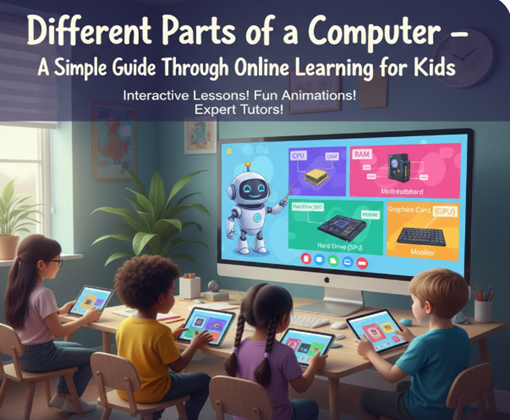
Computers are everywhere today. From classrooms and homes to hospitals and offices, they help us learn, work, and stay connected. For children growing up in the digital age, understanding how a computer works is just as important as learning maths or reading. When kids know the different parts of a computer, they become more confident using technology and are better prepared for the future.
This is why online learning for kids has become such a powerful way to teach computer basics. Instead of memorising complicated terms, children can explore, watch, interact, and practice through fun digital lessons guided by expert trainers. They don’t just learn what a computer looks like—they understand how each part works together like a team.
Learning about computer parts is also a key step in STEM learning for kids. STEM (Science, Technology, Engineering, and Mathematics) education helps children develop problem-solving skills, logical thinking, and creativity. When kids understand how hardware and software function, they start thinking like young engineers and innovators.
Imagine a child who can identify a keyboard, use a mouse confidently, save files, or even understand what happens inside the CPU. These small skills build big confidence. Whether they want to become coders, designers, or scientists in the future, their journey starts with the basics.
In this guide, we’ll break down the different parts of a computer in a simple and friendly way. Each section explains what the part does and why it matters. With the right online learning for kids, mastering these concepts becomes easy, fun, and exciting. Let’s explore the computer step by step!
1. Input Devices – How We Talk to the Computer
Input devices are tools that help us give instructions to a computer. Think of them as the ways we “talk” to the machine. Without input devices, the computer wouldn’t know what we want it to do.
The most common input device is the keyboard. It allows kids to type letters, numbers, and symbols. Whether writing homework, searching for information, or coding simple programmes, the keyboard is always in use. Learning proper typing skills early can make children faster and more confident computer users.
Next is the mouse. It helps move the pointer on the screen, click icons, drag files, and open programmes. For younger children, learning how to control a mouse improves hand-eye coordination.
Other input devices include microphones, webcams, scanners, and touchscreens. A microphone lets kids record their voices, webcams enable video classes, and touchscreens allow tapping and swiping directly on the display. These tools make digital learning more engaging and interactive.
When children practise using different input devices, they become comfortable exploring technology on their own. This confidence is important for STEM learning for kids, where experimentation and curiosity play a big role.
In simple terms, input devices help kids ask questions, type answers, and control what happens on the screen. They are the first step in communicating with the computer.
2. Output Devices – How the Computer Talks Back
If input devices help us talk to the computer, output devices help the computer talk back to us. These devices show us results, sounds, and images so we can understand what the computer is doing.
The most important output device is the monitor. It displays text, pictures, videos, and games. Every time a child watches an online lesson, reads a story, or plays an educational game, the monitor is working hard. A clear screen helps children learn comfortably without eye strain.
Speakers and headphones are also important output devices. They allow kids to hear music, instructions, and teacher explanations. In many classes, audio plays a big role in understanding lessons clearly. Headphones can also reduce distractions and improve focus.
Printers are another example. They turn digital work into paper copies. Kids can print their assignments, drawings, or certificates. Holding a printed project often gives children a sense of accomplishment.
Projectors and smart boards are used in schools to display lessons to large groups. These tools make learning more visual and exciting.
Understanding output devices helps children see how their actions produce results. When they click something and instantly see a change on the screen, they learn cause and effect. This logical thinking supports STEM learning for kids and strengthens problem-solving skills.
Simply put, output devices show the computer’s answers. They make learning interactive and fun.
3. The Central Processing Unit (CPU) – The Brain of the Computer
The CPU, or Central Processing Unit, is often called the brain of the computer. Just like our brain controls our body, the CPU controls everything inside the computer.
Whenever a child types on the keyboard or clicks the mouse, the CPU receives those instructions. It processes the information and tells other parts of the computer what to do. Without the CPU, nothing would work.
The CPU has three main parts. The control unit directs operations. The arithmetic logic unit performs calculations and comparisons. The registers store small amounts of data temporarily for quick access. Together, these parts help the computer think fast.
For kids, it may help to imagine the CPU as a school principal managing teachers and students. It gives orders, checks work, and ensures everything runs smoothly.
Learning about the CPU introduces children to how machines process information. This is an important concept in STEM learning for kids, especially when they begin coding or robotics. They understand that every command they give must be processed logically.
Through online learning for kids, these complex ideas are often explained using animations and simple examples, making them easy to understand.
Knowing that the CPU is the brain helps children appreciate what happens behind the scenes every time they use a computer.
4. Memory and Storage – Where Information Lives
Have you ever wondered where your files, photos, and games are saved? That’s where memory and storage come in. These parts keep information safe so we can use it later.
There are two main types: RAM and storage drives.
RAM (Random Access Memory) is temporary memory. It stores data while the computer is working. When you open an app or game, RAM helps it run quickly. But when the computer shuts down, RAM forgets everything.
Storage drives, like hard discs or SSDs, are permanent memory. They save files even after the computer is turned off. Homework documents, pictures, and videos are stored here.
You can compare RAM to a classroom desk where you keep books you’re using right now and storage to a cupboard where you keep things long-term.
Understanding memory helps kids learn how computers manage information efficiently. It also teaches organisation skills, like saving files in the right folders.
Memory concepts also connect to STEM learning for kids, as they teach how systems store and retrieve data — a basic idea used in coding, databases, and app development.
In short, memory and storage are the computer’s “memory box", keeping everything safe and ready when needed.
5. Software – The Instructions That Make Everything WORK
Hardware parts are important, but they can’t do anything without software. Software is a set of instructions that tells the computer what to do.
There are two main types: system software and application software.
System software includes the operating system, like Windows or macOS. It controls the computer and helps all parts work together. Without it, the computer wouldn’t even start.
Application software includes programs like browsers, games, drawing apps, and learning platforms. These are what kids use every day.
When children join online classes, they use educational apps, coding platforms, and virtual classrooms — all examples of software designed to teach and entertain.
Learning about software helps kids understand that computers follow instructions step by step. This prepares them for STEM learning for kids, especially coding. Writing code is simply giving instructions to the computer.
Software is like recipes in a cookbook. The hardware is the kitchen, but the recipe tells you what to cook. Without instructions, nothing happens.
Understanding software opens the door to creativity and innovation for young learners.
Conclusion
Computers may look complicated at first, but when we break them down into parts, they become easy to understand. Input devices help us communicate. Output devices show results. The CPU thinks and processes. Memory stores information. Software gives instructions. Together, they form a complete system that powers our digital world.
Teaching children these basics early builds confidence and curiosity. Instead of feeling confused, they feel capable. They explore, experiment, and ask questions. This foundation supports stronger digital skills and prepares them for future careers in technology.
That’s why online learning for kids is such a smart choice for modern education. With interactive lessons, expert trainers, and hands-on practice, children don’t just memorize computer parts — they truly understand how everything works. Learning becomes exciting rather than stressful.
At the same time, these skills naturally support STEM learning for kids, helping them develop logical thinking, creativity, and problem-solving abilities. Today’s learners are tomorrow’s innovators, and understanding computers is the first step toward building apps, games, robots, or even new technologies.
If you want your child to gain real computer knowledge in a simple, fun, and guided way, it’s time to choose the right platform.
Join classes with expert trainers at Rise With Tech and give your child the confidence to master technology.